Part of creating a new family record and conducting a search to see if the family already exists in the database.
Begin by either selecting
1. Family Directory on the left side of the screen
2. Family List under Quick Links:
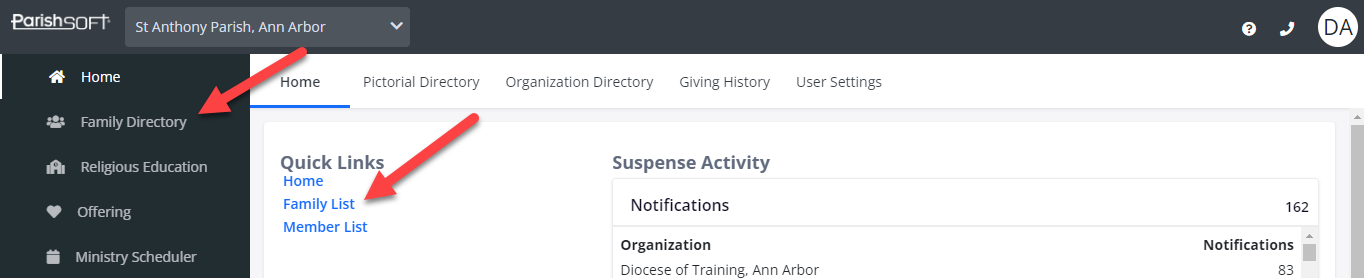
- In the Family Directory, click Family List at the top left corner

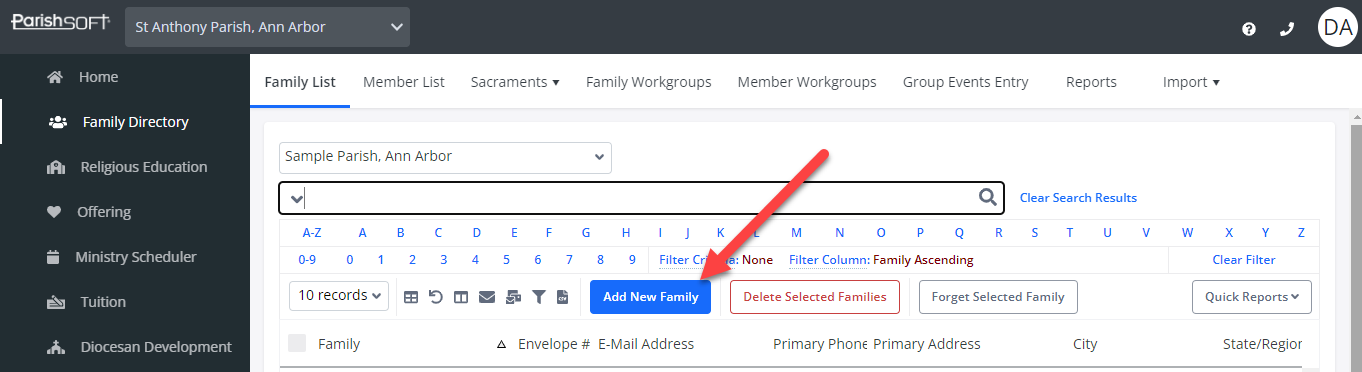
- Select Add New Family.
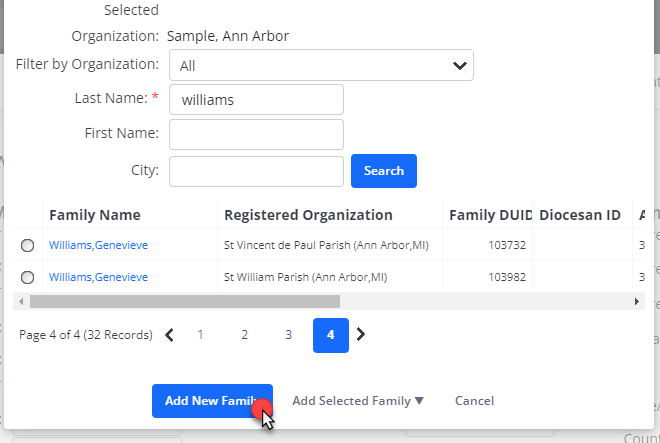
- In the Find Family window, type the last name (if it is a common last name put in the first name of the head of household too) and click Search.
Note: Be sure your Filter by Organization is set to ALL.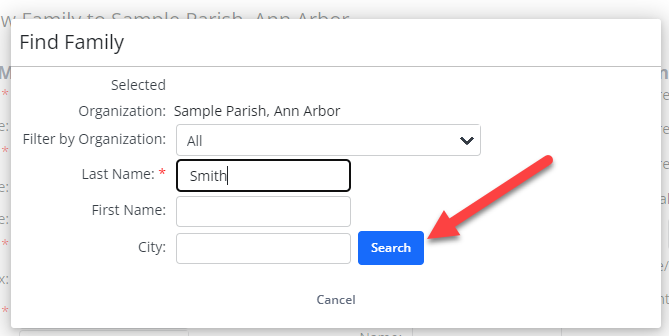
- If the family is found, you may select them and add them to your parish. You must determine if they will be added with an unregistered association only or if you want to bring them into your parish as a registered member.
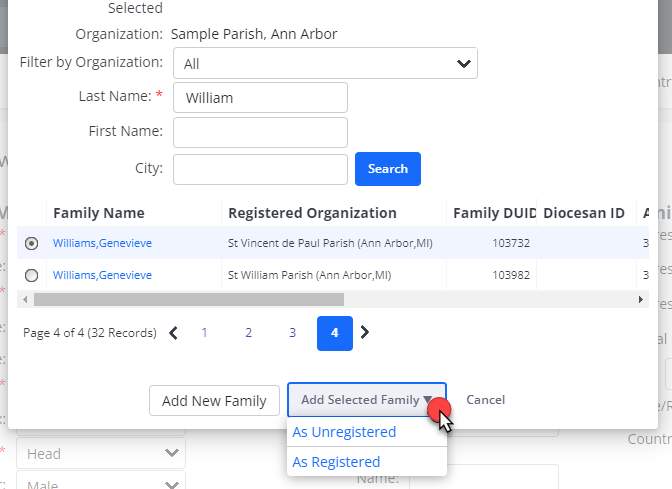
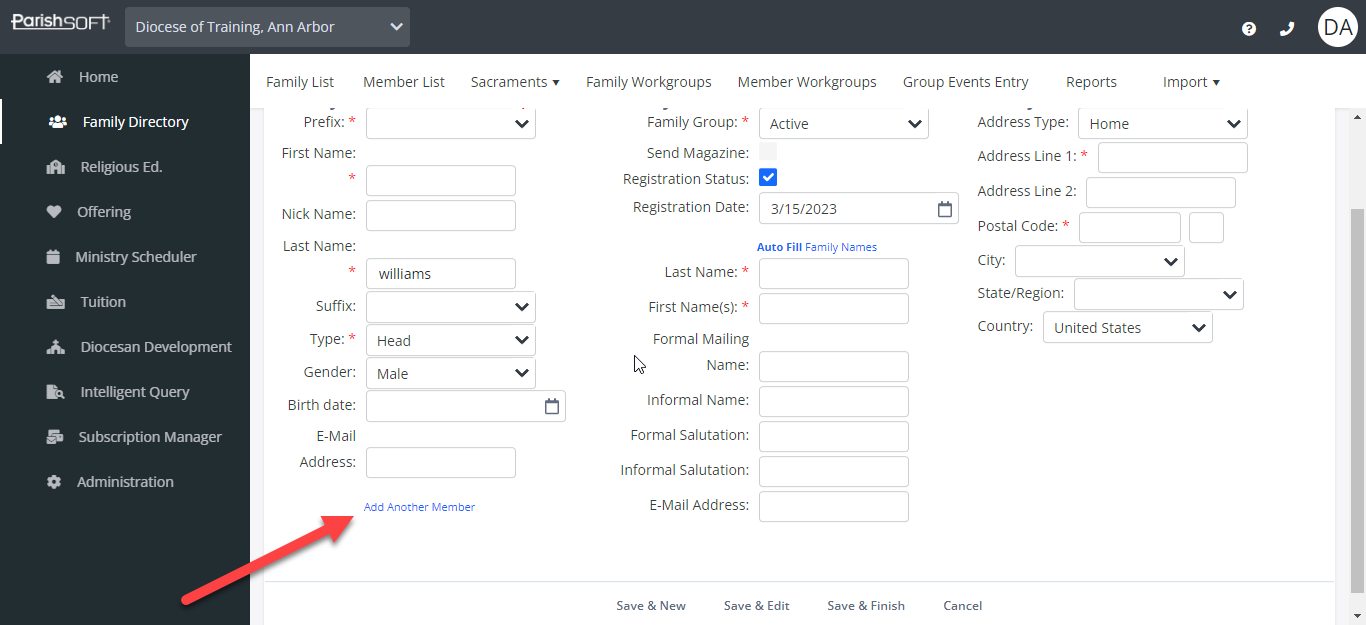
- If the family does not display, click Add New Family and fill in the names and address information, then click Save & Finish.
- You may add all of the family members on this very first page by selecting the Add Another Member option for each member until you have completed adding all members or select Save & Edit.
Updated