Diocesan users have the ability to see secure member fields that are customizable to meet the dioceses' needs.
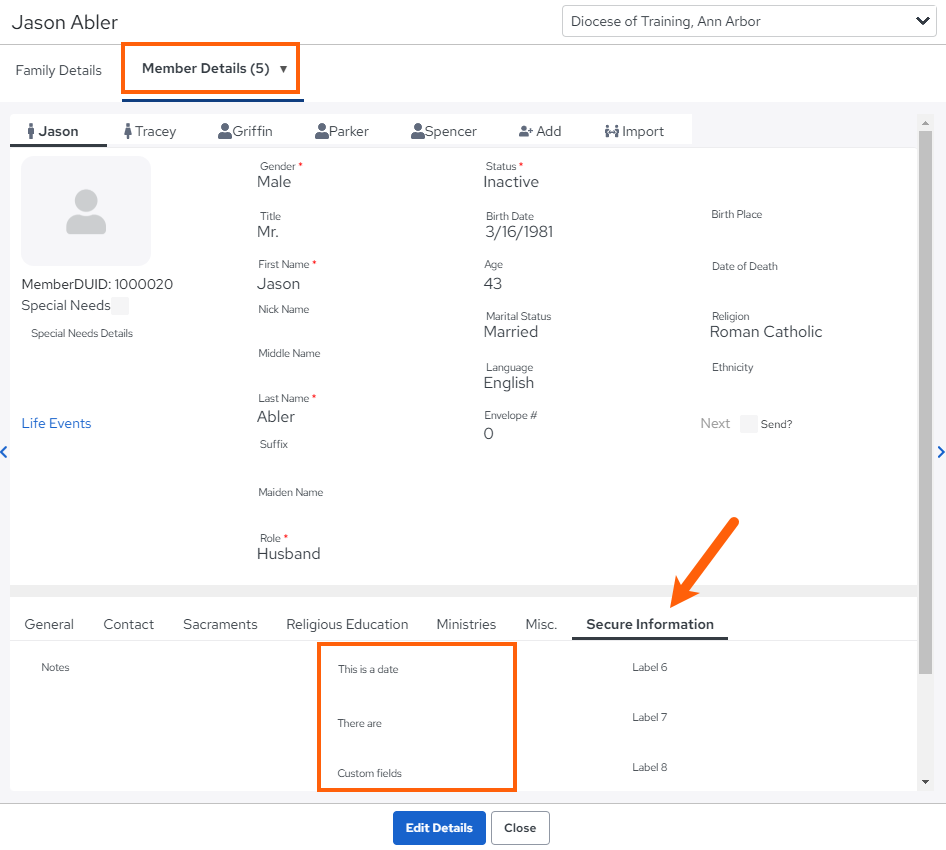
- Choose a family from the Family Directory
- Select the Member Details tab
- Select a Member and choose the Secure Information tab
- View their secure fields
Updated
Was this article helpful?
0 out of 0 found this helpful
Have more questions? Submit a request
Sorry about that! How can we improve this article?
Thanks! Your feedback helps us improve!
There was a problem submitting your feedback. Please try again later.
If you have an issue that requires help or feedback, please Contact Support.