Click Family/Member Workgroups
- If you manage multiple organizations, select the desired organization.
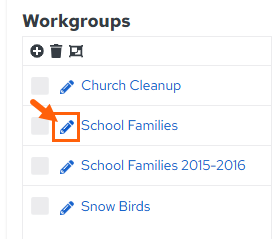
In the Family/Member Workgroups section, click the edit button to the left of the workgroup you want to edit.
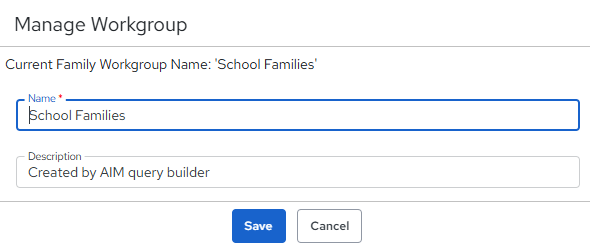
Type a new name and/or description for the workgroup. The character limit for the Name field is 100 characters.
From here, you may Save or Cancel the changes.
Updated
Was this article helpful?
0 out of 0 found this helpful
Have more questions? Submit a request
Sorry about that! How can we improve this article?
Thanks! Your feedback helps us improve!
There was a problem submitting your feedback. Please try again later.
If you have an issue that requires help or feedback, please Contact Support.