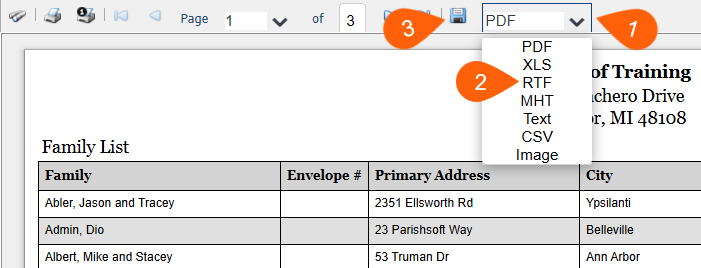
- When the report has generated, click the PDF dropdown
- Select the option, RTF (rich text format).
- Finally, select the disk icon to save the file.
- The application will ask you if you would like to open or save the file. Click Open
- The report should automatically open in Microsoft Word.
Updated
Was this article helpful?
0 out of 0 found this helpful
Have more questions? Submit a request
Sorry about that! How can we improve this article?
Thanks! Your feedback helps us improve!
There was a problem submitting your feedback. Please try again later.
If you have an issue that requires help or feedback, please Contact Support.