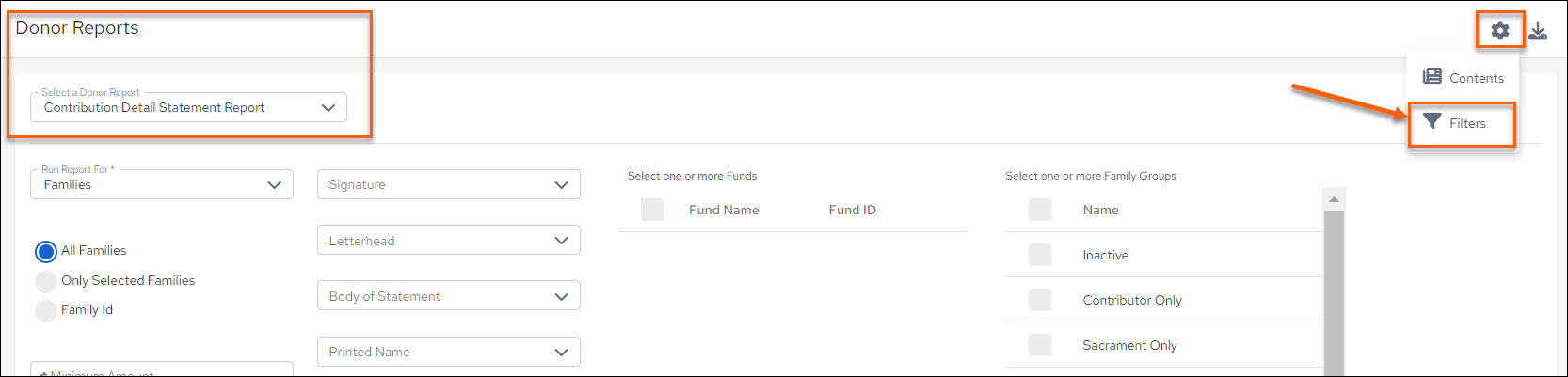
- From the Contribution Detail Statement Reports page, click the cog button (Configure) in the upper right of the screen.
- Select Filters then Other Filters
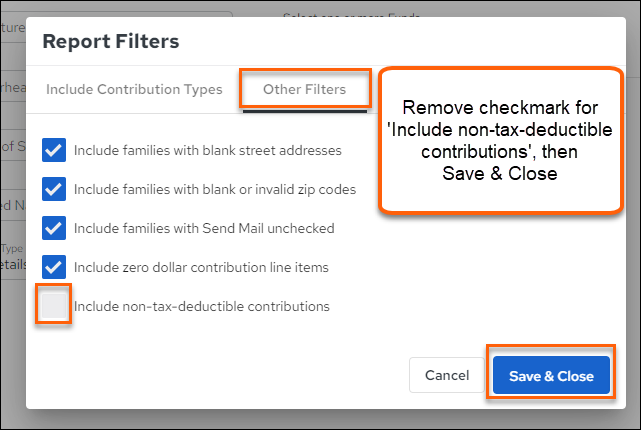
- Remove the checkmark to Include non-tax-deductible contributions.
- Make sure to Save & Close.
Updated
Was this article helpful?
0 out of 0 found this helpful
Have more questions? Submit a request
Sorry about that! How can we improve this article?
Thanks! Your feedback helps us improve!
There was a problem submitting your feedback. Please try again later.
If you have an issue that requires help or feedback, please Contact Support.